Creating a home office that feels cozy yet keeps you productive can transform your work-from-home experience. Whether you’re setting up a space for regular remote work or occasional projects, striking the right balance between comfort and functionality is key. Here are some practical tips to help you design a home office that inspires focus and fuels creativity.
Choose the Right Location
Consider Natural Light and Quietness
When selecting where to set up your home office, prioritize a spot with plenty of natural light. Sunlight boosts mood and energy, making it easier to stay alert during your work hours. If natural light is limited, invest in good quality artificial lighting that mimics daylight.
Also, pick a quiet area where you are less likely to be interrupted. Minimizing distractions helps maintain concentration. If space is tight, use noise-cancelling headphones to create a peaceful atmosphere.
Separate Work from Leisure Areas
Try to find a dedicated space that is used exclusively for work. This separation helps your brain switch into “work mode” and reduces the risk of mixing work time with relaxation, which can lead to burnout.
Invest in Comfortable and Functional Furniture
Choose an Ergonomic Chair
Comfortable seating is essential for long hours at the desk. An ergonomic chair supports good posture, reducing back and neck strain. Look for adjustable features such as seat height, lumbar support, and armrests.
Opt for a Suitable Desk
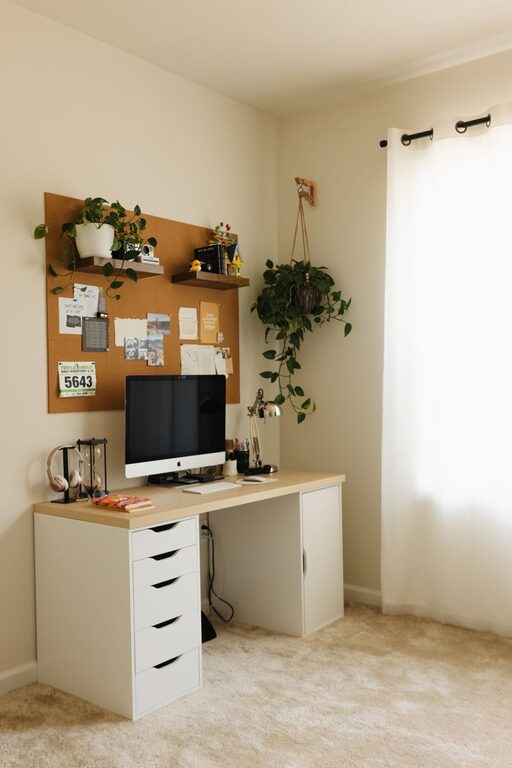
Select a desk that fits your needs — enough surface area for your computer, documents, and any tools you regularly use. Consider adjustable desks if you want to switch between sitting and standing during the day.
Organize Your Workspace Efficiently
Declutter Regularly
A tidy workspace helps clear your mind and improves efficiency. Keep only the essentials on your desk and store other items in drawers or organizers.
Use Storage Solutions
Invest in shelves, filing cabinets, or storage boxes to keep supplies and paperwork neatly arranged. Labeling containers can save time when looking for specific materials.
Manage Cables and Technology
Keep cords and cables neat with clips or cable sleeves to avoid tangling. Ensure your computer, printer, and other tech are set up for easy access while maintaining a clean look.
Personalize Your Office
Add Warmth with Textiles and Decor
Incorporate cozy elements like a soft rug, cushions, or curtains to make your space inviting. Choose colors and patterns that uplift your mood.
Include Plants
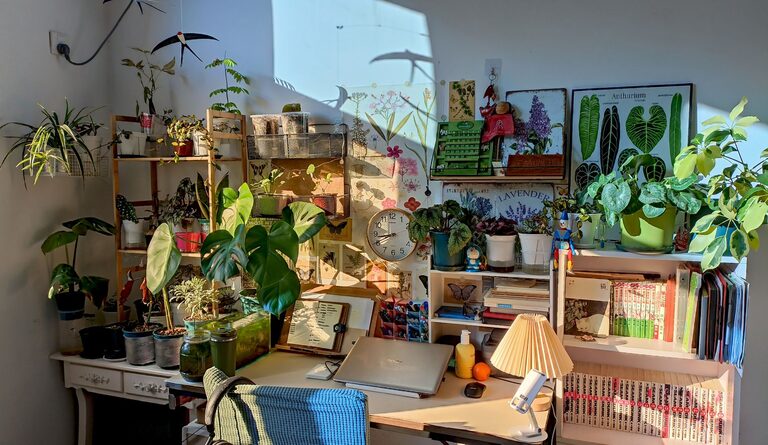
Indoor plants improve air quality and create a soothing environment. Choose easy-to-care-for plants like succulents or pothos if you’re new to plant care.
Display Motivational Items
Photos, artwork, or inspirational quotes can boost motivation. Be selective so your decor feels personal without creating clutter.
Optimize Lighting for Comfort and Productivity
Layer Your Lighting
Combine ambient (general), task (focused), and accent lighting. A desk lamp with adjustable brightness is great for reducing eye strain during detailed work.
Avoid Screen Glare
Position your monitor to avoid glare from windows or overhead lights, which can cause discomfort and headaches.
Set a Routine and Boundaries
Define Your Work Hours
Stick to a regular schedule to create structure. Use alarms or calendar reminders to signal the start and end of your workday.
Take Breaks
Short, frequent breaks help maintain focus and prevent fatigue. Use this time to stretch, hydrate, or do brief physical activity.
Keep Communication Open
If you share your home with others, clearly communicate your work schedule to minimize interruptions.
Incorporate Technology and Tools Wisely
Invest in Reliable Equipment
Fast internet, a quality headset, and a good webcam support smooth communication during virtual meetings.
Use Apps and Tools for Productivity
Organizers, task managers, and time-tracking apps can help keep your projects on track without overwhelming your space.
Maintain Your Workspace
Clean Regularly
Wipe down surfaces and dust your equipment weekly to keep your area fresh and hygienic.
Reassess and Adapt
Periodically review your setup to identify what’s working and what can improve. Small changes can increase comfort and efficiency.
—
Creating a cozy and productive home office takes thoughtful planning but rewards you with a space where work can feel enjoyable and focused. Start with these tips to build an environment that supports your best work, day after day.
About the Author